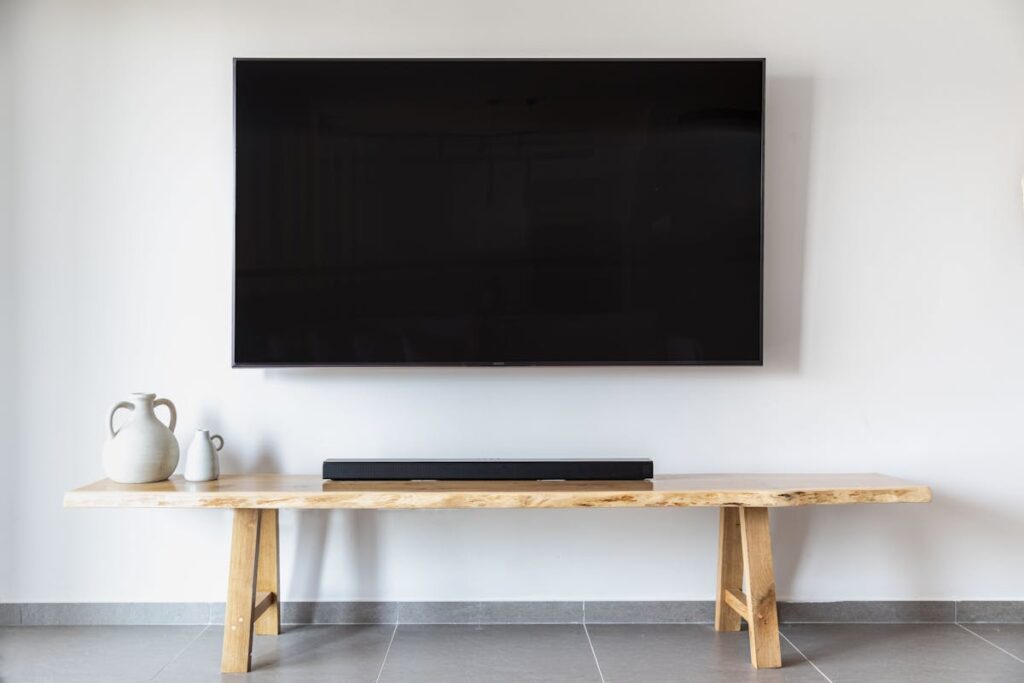
Wall-Mounted TVs: The Modern Standard
Gone are the days of bulky entertainment centers and TV stands taking up valuable floor space. A wall-mounted television instantly modernizes any room, creates a sleek focal point, and frees up space for the things that matter. But while mounting a TV might look straightforward, there is a lot more to a professional installation than drilling a few holes in the wall.
Before you grab a mount off the shelf and start swinging a drill, here is everything you need to know about getting your TV on the wall safely, securely, and looking fantastic.
Understanding Your Wall Type
The first and most critical consideration is what your wall is made of. Here in Phoenix, we encounter a variety of wall types, and each requires a different mounting approach.
- Standard drywall with wood studs is the most common and easiest to work with. Toggle bolts alone are never sufficient for heavy TVs. You need to mount directly into studs or use a heavy-duty mounting plate that spans multiple studs.
- Steel stud construction is common in newer condos and commercial conversions. Steel studs require special toggle bolts rated for the weight of your TV and mount. Standard wood screws will simply spin and pull out.
- Concrete or block walls are found in many Arizona homes, especially exterior walls. These require concrete anchors and a hammer drill with masonry bits. The upside is that concrete provides an incredibly solid mounting surface once the right anchors are installed.
- Brick and stone fireplaces are popular mounting locations but require careful drilling to avoid cracking. A professional knows how to drill into mortar joints when possible and uses the right type of masonry anchors.
Choosing the Right Mount
TV mounts come in three main categories, and choosing the right one depends on your room layout and viewing habits.
Fixed mounts hold your TV flat against the wall with the lowest profile, typically sitting less than an inch from the wall surface. These are ideal for rooms where you always watch from the same position directly in front of the TV.
Tilting mounts allow you to angle the TV downward, which is perfect when the TV needs to be mounted higher than eye level, such as above a fireplace. The tilt compensates for the viewing angle and reduces glare from overhead lighting.
Full-motion or articulating mounts extend from the wall and swivel in multiple directions. These are the most versatile option, especially for open floor plans where you might watch from the kitchen, dining area, or living room. They also make it easy to access the back of the TV for cable changes.
Finding the Perfect Height
The ideal TV height places the center of the screen at seated eye level, which is typically 42 to 48 inches from the floor to the center of the screen. Mounting too high is the most common mistake we see. A TV mounted above a tall fireplace mantle might look dramatic, but your neck will pay the price during movie marathons.
If you must mount above a fireplace, a tilting or pull-down mount can bring the screen closer to eye level when in use and tuck it back up for aesthetics when turned off. We install these regularly in Phoenix homes and they make a huge difference in viewing comfort.
Cable Management: The Difference Between DIY and Professional
Nothing ruins a clean TV installation faster than a tangle of visible cables running down the wall. Professional cable management is what separates a polished installation from an amateur one. Here are the options:
- In-wall cable routing is the gold standard. We run HDMI cables, power, and any other connections through the wall using code-compliant in-wall rated cables and proper electrical boxes. The result is a perfectly clean wall with zero visible wires.
- Surface-mounted cable covers or raceways are used when in-wall routing is not possible, such as on concrete walls. Painted to match your wall color, these provide a clean look without any construction.
- Power bridge kits provide a code-compliant way to get power behind your TV without running standard power cables through the wall, which is actually against electrical code. These install a new outlet behind the TV connected to the existing outlet below.
What About Soundbars and Accessories?
A wall-mounted TV often pairs best with a wall-mounted soundbar. We can install your soundbar directly below the TV, manage all the cables cleanly, and ensure everything is properly connected. Many clients also want us to mount their streaming devices, cable boxes, or gaming consoles in a nearby cabinet or closet with an IR repeater, keeping the wall completely clean.
Let HandyMack Handle the Heavy Lifting
A professional TV mounting from HandyMack Tech & Home Services includes a full assessment of your wall type, the right mounting hardware for your specific TV and wall combination, perfect height placement, and clean cable management. We bring all the specialized tools, from stud finders and laser levels to masonry drills and in-wall cable fishing rods.
Most installations are completed in under two hours, and we clean up everything when we are done. Your TV ends up perfectly level, rock-solid on the wall, with not a single cable in sight. Ready to get your TV on the wall the right way? Contact HandyMack for a free estimate today.